Singapore parenting, practical reviews and tech notes

My $1,499 Laptop Never Arrived — and Amazon Singapore Isn’t Caring

📢 Update @ 29 May 2026

This story has since been covered by Zaobao and Must Share News, with both reports picking up on the Amazon OTP delivery failure and the consumer-protection questions around high-value deliveries marked as completed without the parcel ever reaching the customer.


📢 Update @ 27 May 2026

Someone from Amazon’s Executive Relations team has since reached out to me and assured me that the matter is now being immediately investigated, including the conduct of the driver involved. I was also informed that a refund and goodwill compensation would be arranged for the experience.

I’ve replied to request visibility into the investigation outcome — even offering to sign an NDA if necessary — because after almost a month of uncertainty, contradictory responses, missed callbacks and a police report, I genuinely just want closure and to understand what actually happened.

Thank you to everyone who followed, shared advice, offered support, or simply amplified the story. I honestly wish I never had to embark on this journey in the first place, but I hope the discussion around OTP-based deliveries and consumer safeguards proves useful to others.
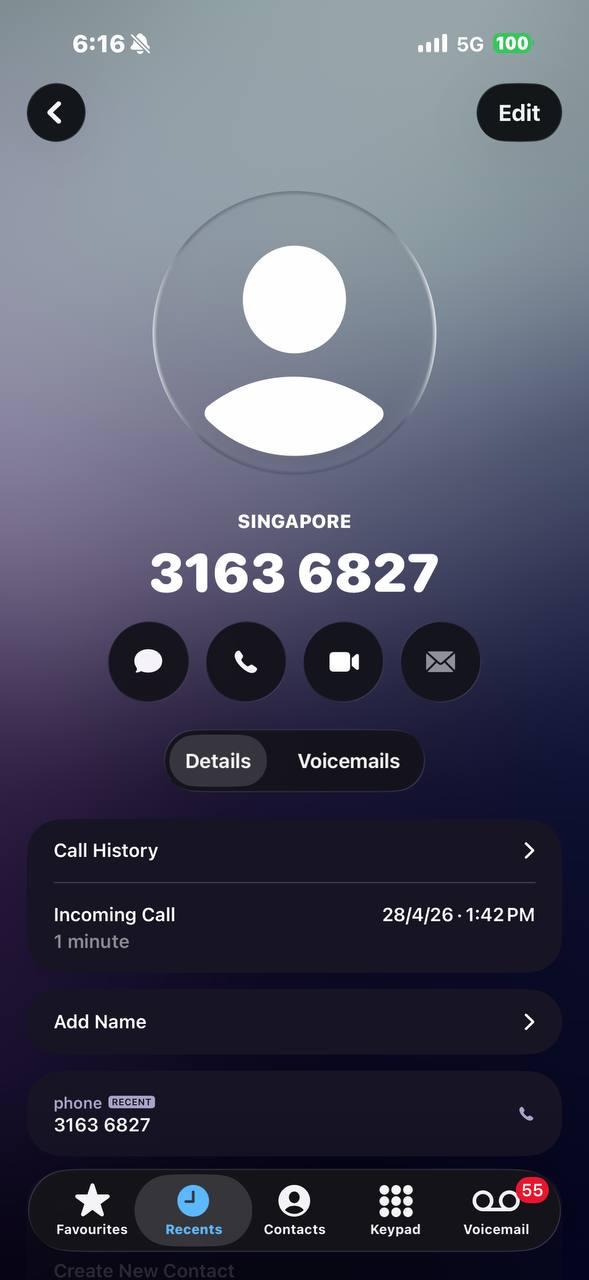

Call log showing +65 3163 6827 called at 1:42 PM on 28 April 2026 I was home. I was waiting. I was ready. On 28 April 2026, I was expecting an Amazon delivery — an Acer laptop, S$1,499, ordered the day before. Amazon had told me it required OTP verification. You know the drill: driver arrives, you give them a six-digit code, they hand you the box. Supposed to be more secure than leaving a package at the door. At 9:03 AM that morning, Amazon emailed me: “Arriving Today: A one-time password is required for your Amazon delivery.” Great, I thought — extra security for a big-ticket item. At 1:42 PM, my phone rang. Local number. Caller ID: 3163 6827. (Update: This is a VALID Amazon Logistics number!) “Hi, I’m your Amazon delivery driver. I need your OTP to complete the delivery.” I gave it to him. Why wouldn’t I? Amazon had literally emailed me four hours earlier telling me a driver would need my OTP. This was also my very first Amazon order that required OTP — I had no prior experience with the process, and nothing in the email made it obvious that a phone call was a red flag. The call ended. My Amazon app updated: “Delivered.” Nobody came to my door.
The call that started it all — 1:42 PM, 28 April 2026. Caller ID: 3163 6827.

The Part Where It Gets Worse

I checked my IP camera. I checked my smart doorbell. I reviewed the footage thoroughly. No driver, no delivery person anywhere near my unit at the time of the call. I contacted Amazon immediately. Amazon’s own customer service confirmed two things:
  1. There was no delivery photo or proof of delivery recorded for my order — their own SOP requires drivers to photograph the package at the recipient’s door
  2. OTPs are only supposed to be provided in person, at the point of delivery, entered directly into the driver’s device
So to recap: their driver (or someone claiming to be their driver) called me, asked for the OTP over the phone, used it to mark the package as delivered, and never showed up. Amazon’s system accepted the OTP without any delivery proof. At 1:44 PM, Amazon sent a “Delivered” email claiming “Parcel was handed to resident” — a statement their own system generated automatically, despite no delivery actually taking place. And now I’m the one out S$1,499.

The Number That Called Me

+65 3163 6827. It’s a Singapore VoIP number. While it’s normal for delivery companies to use VoIP or in-app calling to reach customers, what’s not normal is what happened next. And think about this: how did the caller know I had an Amazon delivery that day? How did they know it required an OTP? How did they know the exact delivery window? A random scammer doesn’t have access to Amazon’s internal delivery schedule. And even if someone tricked me into giving them the OTP over the phone — the OTP alone doesn’t make a physical laptop vanish from Amazon’s warehouse. Someone with access to Amazon’s logistics chain had to physically intercept the package. OTP fraud explains how the delivery was falsified. But only someone inside Amazon’s delivery operation could make the box disappear.

Enter Amazon’s “Leadership Team”

I filed a police report on 30 April (F/20260430/7***, assigned to Ang Mo Kio Division HQ). I then called Amazon and demanded escalation. I was connected to a supervisor named Kyle, who identified himself as being from the “Amazon Singapore Leadership Team.” During this phone call, Kyle advised me to place a replacement order for the same laptop — the replacement order. He said the investigation and refund would take time, and ordering a replacement was the fastest way to get my laptop. So I did, right there on the call with him. Let that sink in: if Amazon truly believed the original delivery was legitimate, why would their Leadership Team supervisor tell me to buy a second identical S$1,499 laptop? Why would anyone who just “received” a laptop need another one? After the call, Kyle sent a follow-up email. He said he had “set a follow-up on my account” and “raised this issue to the relevant team.” He asked for “2 business days to get an update.” On 2 May, Kyle emailed again. He said the specialist team was “coordinating with Logistics” and — I quote — “discussing the best possible compensation we can offer.” That was 2 May. I never heard from Kyle again. I chased on 5 May. Nothing. I chased again on 7 May from a different email address. Nothing. On 13 May, I called Amazon for an update. The agent I spoke to checked my case notes and told me Kyle was supposed to call me back on 15 May. “Please be patient,” he said. 15 May came and went. No call. No email. Nothing.

Today: The Mask Comes Off

Today is 23 May. My second Atome instalment for the laptop I never received is due soon. I decided to check on my case status again. This time, Amazon’s attitude was completely different. The agent told me — coldly — that because I had given the OTP, it was no longer Amazon’s responsibility. Case closed. I demanded a supervisor immediately. I explained that Kyle was supposed to follow up with me. I asked them to stop passing judgement without actually investigating. The supervisor who took over was curt. Kept repeating the same line: you gave the OTP, not our problem. And then — she hung up on me. Three weeks of silence. Two broken callback promises. A supervisor who literally hangs up on customers disputing a S$1,499 loss. This is Amazon Singapore’s idea of “customer service.”

The Part Where Amazon Blames You

Amazon’s position, when you strip away everything else: “You gave away the OTP. That’s on you.” Let’s lay out what Amazon did — and didn’t do:
  • Amazon sent me an OTP email at 9:03 AM, priming me to expect a driver to ask for the code
  • The one warning about not sharing the OTP over the phone was buried below the visible fold in the email — invisible on a mobile screen without scrolling past product details, tracking links, and delivery instructions
  • This was my very first OTP order — a S$1,499 laptop, not a S$20 cable. Amazon threw a first-time OTP user into the deep end on a premium purchase
  • Their system accepted the OTP remotely without requiring the driver to take a delivery photo — standard procedure that every other delivery driver follows
  • Their system auto-generated a false statement: “Parcel was handed to resident”
  • Their Leadership Team told me to buy a replacement laptop — implicitly acknowledging the first one was never received
  • They promised compensation, then ghosted me for three weeks
  • They promised a callback on 15 May — never happened
  • When I finally pushed for answers, a supervisor hung up on me
Amazon has all the tools to investigate this: chat logs, call recordings, driver GPS data, which driver account redeemed the OTP, whether the caller number matches the assigned driver. They could determine exactly what happened. They have chosen not to.

What I’ve Done So Far

  • Filed a police report within 48 hours (F/20260430/7***, assigned to Ang Mo Kio Division HQ)
  • Contacted Amazon repeatedly across chat, phone, and email over nearly four weeks
  • Escalated to their self-declared Leadership Team (who then ghosted me)
  • Contacted Atome (my BNPL provider) — they said “pursue merchant resolution first”
  • Saved every email, call log, and screenshot
I’m not letting this go. S$1,499 isn’t pocket change, and even if it were — the principle matters. Companies don’t get to design insecure systems, bury the safety warnings, generate false delivery claims, and then hang up on customers who try to hold them accountable.

What You Should Know

If you’re waiting for an Amazon OTP delivery:
  • The driver should never ask for your OTP over the phone. Ever. If someone calls asking for it, they’re not your driver.
  • Don’t hand over the code until you see the box and the driver at your door. That’s literally the point of OTP.
  • If you’re scammed, file a police report immediately. Amazon will drag things out, and evidence degrades.
  • Know that Amazon will try to blame you. Their go-to move is “you gave the OTP, case closed.” Don’t accept it.
Amazon’s OTP system is only as secure as the process around it. Right now, that process has a gap big enough to drive a delivery van through — assuming the van actually shows up. Police report filed: F/20260430/7***. This post will be updated as the case develops.

Xiaomi 212W HyperCharge Power Bank 24500 review: heavy, powerful, and travel-ready

The first thing people ask when they see me using the Xiaomi 212W HyperCharge Power Bank 24500 is not about charging speed.

It is usually some version of: “Wah, so heavy?”, “Drop on my foot can break a bone”, or “Your bag not heavy enough?”

Fair. This is not a cute little pocket power bank. It is the sort of power bank that looks like it has opinions about your cable management. But hear me out.

Xiaomi 212W HyperCharge Power Bank 24500 showing 100 percent battery on a laptop
Xiaomi 212W HyperCharge Power Bank 24500, also known as the “yes, I know it is heavy” power bank.

Why I wanted one big power bank instead of many small ones

Devices are more power hungry than ever, and travelling with power banks has somehow become more troublesome than ever too.

The irony is that the most troublesome place to travel to and within, at least for power banks, can be China, the place that manufactures so many of the world’s power banks. I had my fair share of confiscated power banks during my China trip in 2024, and the newer 3C / Triple C certification checks make it even more annoying when you are taking trains or flights within and out of China.

Then there are the airline limits. The important number here is watt-hours, not the marketing mAh number. This Xiaomi unit is rated at 89Wh, which keeps it under the common 100Wh airline threshold. That matters because I do not want to stand at security explaining a mystery power brick while my children are asking for snacks.

Basically, on the next family trip, I want to avoid whipping out six different power banks for inspection. I am already the designated family power supply person: chargers, cables, power banks, and the quiet resentment that comes from everyone asking me where their cable is.

The practical appeal: 212W across three ports

The headline number is 212W total output, but the useful part is the port mix. It can do up to 140W from USB-C1, up to 45W from USB-C2, and up to 120W from USB-A under the right cable/device conditions.

In plain English: this is powerful enough to be relevant for a laptop, iPad Pro, iPhones, and other hungry devices. I do not need every device to charge at maximum speed all the time. I just need one battery pack that can handle the family travel pile without immediately giving up.

The colour display is also genuinely useful. I like seeing remaining power and charging speed without guessing from four tiny blinking dots like it is 2012.

The weight is the trade-off

Let’s not pretend. This is heavy. If your idea of a power bank is something you keep in a jeans pocket, this is not it.

But the weight is not pointless. Inside are five 4,900mAh cells, giving it the 24,500mAh headline capacity and the 89Wh travel-relevant rating. That is the whole reason this thing exists: fewer power banks, more usable output, less cable chaos.

For daily commute use, I would still pick something smaller. For travel, especially with a family of four, this makes much more sense to me.

Charging the power bank itself

Another reason I like this category of power bank: it can recharge itself quickly. Xiaomi lists up to 100W input through USB-C1, with a full self-charge in as fast as about 2.5 hours under the right charger and cable conditions.

That is important because a huge power bank that takes forever to recharge becomes another chore. If I can top it up quickly at night in the hotel, it is much easier to justify carrying it.

Who this is for

This is for the person who ends up carrying everyone’s power needs while travelling. Parents, gadget-heavy workers, people with laptops and tablets, or anyone who has been emotionally damaged by airport battery anxiety.

It is not for someone who only needs to rescue a phone once in a while. It is also not the cheapest or lightest option. The point is consolidation: one serious, airline-friendly power bank instead of a messy pouch of smaller ones.

My verdict

The Xiaomi 212W HyperCharge Power Bank 24500 is overkill in exactly the way I wanted.

It is heavy, yes. It may also win in a fight against your toes. But for travel, especially with multiple devices and a family that treats me as a walking charging station, I would rather carry one serious power bank than play power-bank bingo at security.

If you are travelling through places with stricter battery checks, the 89Wh rating and proper certification angle are the key reasons this one caught my attention.

Where to buy

I Bought an NFC E-Ink MagSafe Phone Case Because Apparently My Phone Case Needed a Personality

Black MagSafe compatible phone case with rear e-ink screen
The black MagSafe compatible case with a circular rear e-ink display built into the back.

I bought one of those NFC e-ink MagSafe compatible phone cases, because apparently the next logical step in phone accessories is giving the back of your phone its own tiny low-power poster.

The idea is simple: the case has an e-ink style screen built into the back. Instead of being stuck with one fixed design, you can transfer an image from your phone to the case and change the look whenever you feel like it. Today it can be a photo. Tomorrow it can be a graphic. Next week it can be something deeply unserious that only makes sense to you.

The Clever Bit: No Battery Needed

The clever part is that the screen does not need its own battery. It gets powered during the NFC transfer process, a bit like how some NFC cards or tags work. Once the image is written to the display, it stays there without draining anything.

That is the part I genuinely like. No charging cable, no tiny mystery battery, no “please remember to charge your phone case” nonsense. The phone already asks for enough attention.

Custom photo displayed on phone case e-ink screen
A custom image loaded onto the e-ink screen at the back of the phone case.

How the Screen Actually Looks

The case I received is a glossy black MagSafe-style case with the display sitting inside the circular MagSafe area. The screen has that typical e-ink look: muted colours, visible dithering, and not much fine detail. Do not expect OLED sharpness. This is more “tiny printed sticker that can change” than “mini iPhone screen”.

But for this kind of product, that is actually fine. Simple images, portraits, illustrations, logos, or clean graphic designs work best. If you try to put a very detailed photo on it, the result will probably look a bit crunchy. Charming, but crunchy.

Close up of colour e-ink screen texture on phone case
Close-up of the e-ink display showing its muted colour and visible dot texture.

The App Works, But It Is Very Marketplace Gadget

Setup was not too hard. The companion app lets you pick or create an image, then transfer it to the case using NFC. In the app, the device type shows as NFC, and there are options for things like fonts, image tools, language settings, help, and cache clearing.

It works, but the app feels very “random gadget from marketplace land”. Some parts are not fully polished, and the App Store rating I saw was not exactly confidence-inspiring.

Netme app listing used for NFC e-ink phone case
The companion app listing used to transfer images to the NFC e-ink phone case.
Netme app settings for NFC device transfer
The app settings screen showing NFC device type and related options.

My One Rant: Random Ads

My one real rant: the app randomly redirected me to full-screen ads or affiliate-style sites a couple of times. Not constantly, thankfully, but enough for me to notice and go, “Oi, behave.”

For a product that is otherwise quite fun, that feels cheap. If the app is required to update the case, it should not be flinging users into random ad pages. That is not classy.

So, Is It Worth Buying?

Once the image is on the case, the actual product is fun. It is geeky in a way I enjoy. It turns your phone case into something you can refresh without buying another case, another sticker, or another pile of plastic that eventually ends up in a drawer.

Would I call it essential? No. This is absolutely a novelty purchase.

Would I call it interesting? Very much yes.

If you like small gadgets, customising your phone, or owning accessories that make people ask “wait, what is that?”, this is a fun one. Just keep your expectations realistic: the screen is decorative, not high-resolution; the app works, but has some sketchy ad behaviour; and the whole thing is more conversation starter than productivity tool.

For me, that is enough. It is not perfect, but it is oddly satisfying. And honestly, being able to change the back of my phone case using NFC still feels like the sort of unnecessary tech trick that makes my inner gadget uncle quietly pleased.

View the NFC e-ink MagSafe compatible phone case on Shopee

NFC e-ink MagSafe compatible phone case packaging
The NFC e-ink MagSafe compatible phone case in its Creative Case packaging.

Products We Never Regretted Buying in Our Parenting Journey (Part 1)

It has been slightly more than 10 years since we became parents. In that time, we have bought baby products that were brilliant, baby products that were mildly useful, and baby products that made us wonder whether sleep deprivation had affected our judgement.

With a new baby arriving in the wider family, we have been sharing the things that actually helped us survive the early years. That conversation became this post: products we never regretted buying, and in some cases, products that quietly became lifesavers.

This is Part 1 because there are more than three. But these are the ones that came immediately to mind because we used them hard, recommended them often, or are somehow still using them in 2026.

Disclosure: some links below are affiliate links. If you buy through them, I may receive a small commission at no extra cost to you.

1. Electric nasal aspirator

Let us be realistic: children will get stuffy noses, and babies cannot blow their own noses. When they are blocked, feeding becomes miserable, sleep gets worse, and everyone in the house starts operating at 3% battery.

Before we got an electric nasal aspirator, we used manual ones. The hand-pump type was the least useful for us because the suction was weak and awkward. The oral-nasal type, where you use a tube to control the suction yourself, worked much better because you can adjust the suction as gently or firmly as needed.

And no, do not panic. A proper oral-nasal aspirator has a chamber or filter so your baby’s mucus is not going into your mouth. The idea still sounds ridiculous until you are staring at a congested baby at 2am and suddenly become a very practical person.

The exact electric model we used is no longer sold by the same seller, but this is the kind of electric nasal aspirator equivalent I would look at today. I would also still keep an oral-nasal manual aspirator around because it gives you direct control over suction.

We used nasal aspirators far longer than I expected. Not just during the baby phase, but up till the kids were about 6 years old, whenever a blocked nose was bad enough that they needed help clearing it.

I wrote an older comparison of the NoseFrida Snotsucker and Lucky Baby Easi Clear nasal aspirators. I have updated the old dead buying links there, but the actual experience still holds: the manual oral-nasal style works, and having one ready at home is not overkill.

2. Stokke Tripp Trapp chair

The Stokke Tripp Trapp chair is one of those purchases that looked expensive at the start but became easier to justify every year we kept using it.

We bought ours in July 2015. It is now 2026, and we are still using it.

The main reason is adjustability. The seat and footrest can be moved as the child grows, so it does not behave like a typical baby product that is useful for a short window and then becomes a bulky thing you need to sell, store, or pretend you will pass to someone someday.

The other reason is build quality. The wood feels solid, the chair is stable, and it has survived years of meals, climbing, wiping, shifting, and everyday family chaos. It is not a magical chair, but it is a well-made one. For something used daily, that matters.

If I were buying a high chair again, I would still prioritise these things over gimmicks:

  • Can the child sit properly at the table?
  • Can the chair adapt as the child grows?
  • Is it stable enough that you are not quietly anxious every time the child moves?
  • Is it easy enough to clean after real meals, not showroom meals?

On those points, the Tripp Trapp has been one of our best long-term parenting buys.

3. A good changing table

The changing table we bought is no longer sold, and honestly, I do not think parents need to be fixated on one exact brand. What matters is having a proper changing station at the right height, with enough storage, and ideally enough distractions to keep the baby from treating diaper changes like a competitive sport.

This baby changing table with storage is the type of setup I would consider today.

Yes, you can change diapers on the sofa, bed, or floor. You will probably do that sometimes anyway. But if you are changing a baby multiple times a day, your back will eventually have opinions. A proper changing table helps because:

  • the working height is kinder on your back;
  • you can keep diaper cream, hand sanitizer, wipes and spare clothes within reach;
  • there is room underneath for the bulk-purchased diapers you swore were on offer;
  • sensory toys or hanging distractions can buy you a few precious seconds while you clean up watery poop before the next round of pee arrives.

A changing table is not glamorous. Nobody dreams about buying one. But when you are doing repeated diaper changes on very little sleep, boring and ergonomic is exactly what you want.

Part 1, for now

There are more products we would recommend, but these three are a good start because they solved real problems: blocked noses, daily meals, and diaper changes without destroying your back.

Parenting products are easy to overbuy. The better question is not “is this cute?” or “does this look clever?” but “will this still make my day easier after the novelty wears off?” These three did.

Why I took Moderna for my booster after 2 Pfizer shots

Disclaimer: This should not be taken as medical advice as I am just sharing my experience as someone who had taken 2 Pfizer shots and decided to take Moderna as my booster.

I had my first and second vaccinations back in March and April 2021 and that made me eligible for my booster yesterday (19 October). I made the conscious effort to “mix” vaccines by going for Moderna even if it meant that I had to travel slightly further to a vaccination centre that carries Moderna when there’s already a Pfizer vaccination centre within a 5-minute walk from my home. I am also aware of the generally worse side effects based on anecdotal accounts from Moderna recipients.

So why did I still choose to bring this upon myself?

First of all, I have no doubt that Pfizer and Moderna are both great mRNA vaccines. They both greatly reduce the chances that one will get hospitalised due to severe symptoms from Covid-19. However, in the recent months, there has been early reports that Moderna is more effective than Pfizer against the Delta variant.

In a study of more than 50,000 patients in the Mayo Clinic Health System, researchers found that the effectiveness of Moderna’s vaccine against infection had dropped to 76 per cent last month – when the Delta variant was predominant – from 86 per cent early this year.

Over the same period, the effectiveness of the Pfizer-BioNTech vaccine had fallen to 42 per cent from 76 per cent, researchers said.

Source: https://www.straitstimes.com/world/united-states/moderna-may-be-superior-to-pfizer-against-delta

Historically, there were findings of vaccine mixing (heterologous prime-boost) could be more immunogenic than single vaccines (homologous prime-boost). While such a study has yet to be conducted on a Pfizer-Moderna combination, authorities around the world have begun allowing mixing of vaccines to ease the burden on logistics and supplies.

In Singapore, our authorities view mRNA vaccines as “similar” and have therefore officially allowed the mix as of 17 September 2021.

Source: https://sg.news.yahoo.com/covid-booster-pfizer-biontech-moderna-vaccine-134827443.html

Side effects of mixing Pfizer and Moderna Vaccines

Before going for the booster shot, I tried searching for side effects of mixing the two vaccines but without success. So here’s my account of the 36 hours post vaccination:

19 October 2021

9:30am: I arrived at the vaccination site ahead of my 10am appointment. I was made to acknowledge that I am switching from Pfizer to Moderna – twice. Once at the registration counter and then at the vaccination booth.

9:36am: Vaccination done. Time for the 30-minute on-site observation.

10:06am: Called to the discharge counter to check if I’m okay. All good. I then took a 4km casual walk home (strenuous exercise is not allowed so I made sure that it was a casual stroll).

I technically had the day off from work (vaccination benefit) so I chilled for the most part of the afternoon.

4pm: Short nap – no fever yet.

6pm: Felt a bit lethargic. No fever yet. Unable to get up to send my daughter for her piano class.

7pm: Got up for dinner. No fever yet. Realised that there’s some work to be done.

8pm: Slight fever at 37.9 C.

10pm: Fever at 38.5 C.

11pm: Fever at 39 C, chills kicking in. This continued through the night.

20 October 2021

7am: A lot of pressure on my entire face – like it’s going to explode. I could barely wake my kids up for school. Temp: 38.9 C.

3pm: I only got up at 3pm and temperature was 38.1 C. Attended a few meetings and left home to get my medical leave to cover my absence for the good part of the work day.

7pm: Temperature at 37.6 C (Might be the paracetamol that I finally took)

10pm: Temperature 38.4 C + chills. Here we go again.

I’ll update this post until I’ve stopped experiencing any effects of the vaccination.

Conclusion about mixing Pfizer / Moderna for booster shot

It has always been anecdotally known that Moderna recipients suffer longer  fevers, headaches and chills compared to Pfizer recipients. This is why I am not at all surprised if my symptoms is going to go on for another day or two. This is within my expectation and I made that informed choice.

Should you mix vaccines? My personal opinion is yes. Mixing vaccines could potentially offer a wider spectrum of coverage. Even if it does not offer significant benefits, there should not be any ill effects of mixing the vaccines otherwise this practice would have been banned around the world. At the end of the day, this is your personal choice. Mixing or not, just get your 2 +1 vaccinations done!